JWT authentication, and when to use stored tokens instead
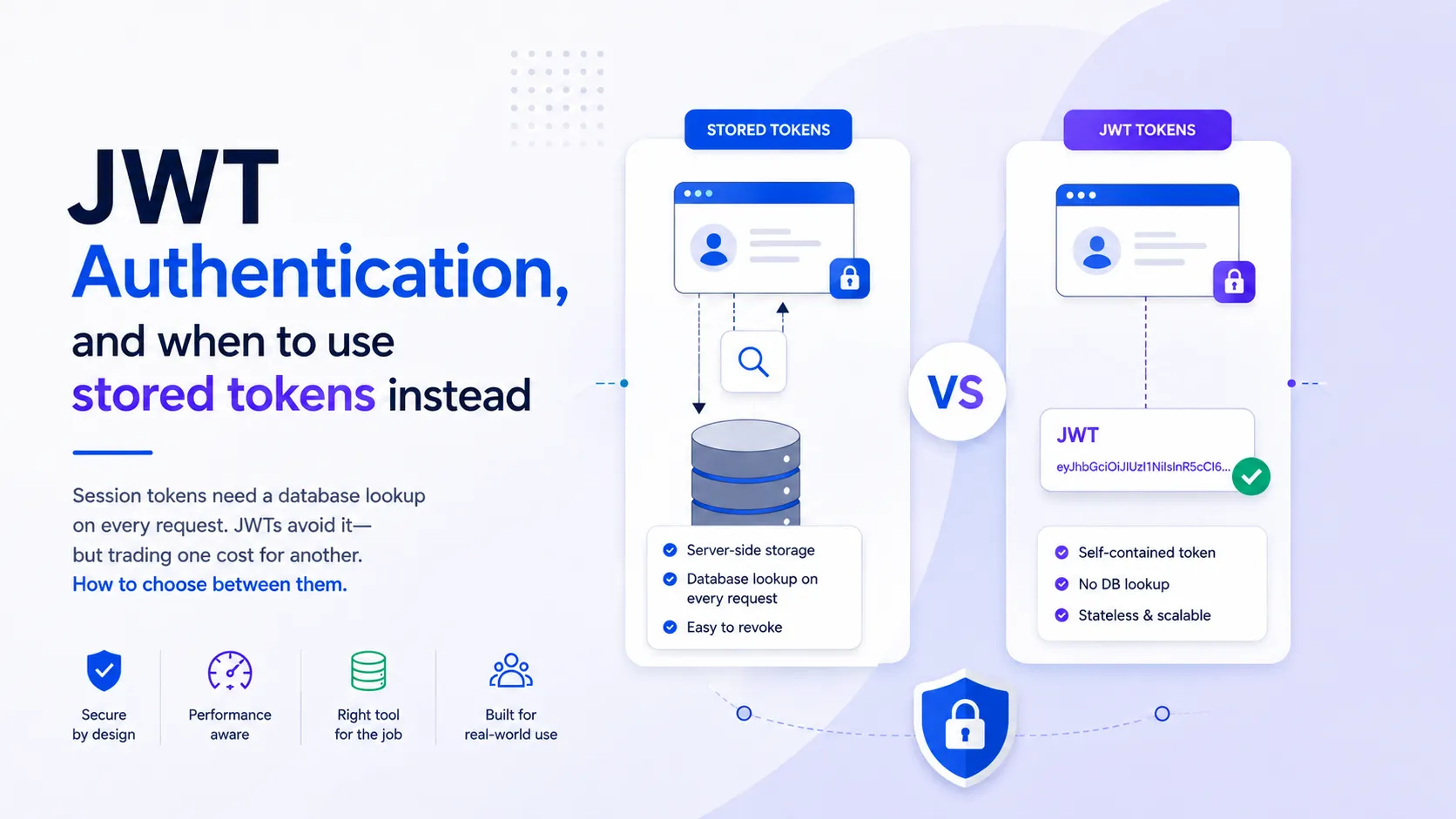
Session tokens need a database lookup on every request. JWTs avoid it—but trading one cost for another. How to choose between them.
A user types an email and a password into your login form. The server checks both, they’re correct, and the user is in.
Then the user clicks something and the next request goes out. That request arrives carrying nothing. HTTP doesn’t remember the request before it, so as far as the server is concerned the person who just clicked is a stranger.
So every request after the login has to carry something that says who’s making it. The simplest thing to carry is the email and password again, on every request. It works, and to do it the browser has to keep the password somewhere. The browser has three places to keep it: local storage, session storage, a cookie. Any script running on the page can read all three. So one XSS bug anywhere in your app gets the user’s password, and that password is probably reused on three other sites.
So the password can’t sit in the browser. What the server needs isn’t the password anyway. It needs one string that belongs to one user, and that proves the user typed the password once already.
There are two main ways to do this. One stores the token in a database. One makes the token carry its own proof.
A token can be cancelled, a password can’t
The user types the email and the password and clicks sign in. The signin API verifies the email and password combination. If the combination is valid the server generates a token, stores the token in the database against that user id, and sends the token back as the signin response. The browser keeps the token. Every request after that sends the token instead of the password.
The password leaves the browser once now. If the token leaks you delete the row, and the token is dead. The password is untouched.
Where you keep the token decides who can read it
Local storage and session storage are readable by any JavaScript running on the page. That’s what they’re for. So the XSS bug that used to read the password reads the token instead, and the attacker gets a valid session.
Cookies are readable too, through document.cookie. Set the cookie HttpOnly
and they aren’t. An HttpOnly cookie doesn’t appear in document.cookie at
all, and the browser still attaches the cookie to every request on its own.
That’s the property you want. The token goes out on every request and no script
on the page can read the token. Set Path on the cookie and the browser only
sends it to requests under that path.
HttpOnly doesn’t finish the job. The browser attaches that cookie to any
request to your domain, including a request started by a form on somebody
else’s page. That’s CSRF, and it’s a different attack from XSS. The attacker
never reads the token. The browser sends the token for them. SameSite on the
cookie is what stops it, and set it explicitly, because the default when the
attribute is missing isn’t the same in every browser.
Every request is now a database lookup
At this point token based authentication looks finished. It isn’t.
The token means nothing by itself. It’s a random string. To know whether the token is valid the server has to find the token in the database, and it has to do that on every single request, before the request does any of its own work. One extra database call in front of everything. Which adds latency.
That’s the tradeoff with stored tokens. The second approach avoids it.

A JWT carries its own proof
The flow is the same up to the point where the token is created. The server verifies the email and password, generates a JWT, and sends the JWT back in the signin response. The server doesn’t store the JWT anywhere. Every request after that carries the JWT, and the server either accepts the request or returns 401.
So how does the server know a JWT is valid, when the server never stored it? That’s what the three parts of a JWT are for.
The header says what the token is and which algorithm signs it:
{ "alg": "HS256", "typ": "JWT" }That JSON, base64url encoded, is part one.
The payload is the data you want on every request. The fields in it are called claims:
{ "sub": "1234refe232r3", "name": "Gaurav Chavhan", "admin": "true", "iat": 1516239022 }That JSON, base64url encoded, is part two.
The signature is part three, and it’s the part that does the work. The
server takes the encoded header, the encoded payload, and a secret that lives on
the server, and runs all three through the algorithm named in the header.
HS256 is HMAC with SHA-256, and the secret is the key. Keep the secret safe.
Anyone holding it can mint tokens.
encoded header + encoded payload + secret + algorithm = the signatureJoined with dots, the three parts are the token:
eyJhbGciOiJIUzI1NiIsInR5cCI6IkpXVCJ9.eyJzdWIiOiIxMjM0cmVmZTIzMnIzIiwibmFtZSI6IkdhdXJhdiBDaGF2aGFuIiwiYWRtaW4iOiJ0cnVlIiwiaWF0IjoxNTE2MjM5MDIyfQ.G2GysFvUlxwUqCGv3CVSAG7SCaTs-7EKxOekTOthjwU
Paste that token into jwt.io with the secret
xhqFMbL26s-xaCVDDvEi_IVEFCzRw82c3rh_K-Dyngc and it verifies. That secret is a
throwaway I generated for this post, and it’s public now, which is the only
reason it’s safe to print.
Never share your actual signing secret with anyone. If someone holds the secret, they can forge any token. They can set themselves as admin, or claim to be any user. The secret stays on your server only.
The signature is the whole mechanism
A request arrives carrying a JWT. The server takes the header and the payload exactly as they arrived, signs them again with the secret it holds, and compares the result against the signature on the token. Same signature means nothing was changed, and the request goes through. Different signature means something was changed, and it doesn’t.
Editing the payload is easy. The payload is base64. Anyone can decode it, set
"admin" to "true", and encode it again. What they can’t produce is the
signature that goes with the edited payload. That needs the secret, and the
secret never leaves the server.
So there’s nothing to store and nothing to look up. Verification is a hash and a comparison. That’s what self contained means.
RS256 lets a service verify a token it can’t issue
Two algorithms cover most of what you’ll meet. Neither one encrypts anything. Signing and encryption are different operations, and a JWT is signed.
HS256 is HMAC with SHA-256 and it uses one key. The same secret signs the
token and verifies the token. Verifying means signing the header and payload
again and comparing, so anything that can verify a token can also produce one.
RS256 uses two keys. The private key signs the token. The public key verifies
the token, and verifying is all the public key can do. The private key stays on
the service that issues tokens. The public key you can hand to anyone.
One server that issues its own tokens and checks its own tokens is fine on
HS256. Once there’s more than one service, use RS256. The auth service holds
the private key and signs, every other service holds the public key and
verifies, and a service that gets compromised can read tokens without being able
to mint them.

Tell the library which algorithm to accept
The header names the algorithm, and the header is part of the token, so the
attacker controls it. If verification reads alg out of the token and does
whatever it says, someone sets alg to none, drops the signature, and is
whoever they like. Libraries have shipped with this bug. Pass the algorithm you
expect into the verify call and let the library reject the rest.
Anyone holding the token can read the payload
Very important: a JWT is encoded, not encrypted. Base64url isn’t a cipher. jwt.io prints the payload of any token pasted into it without a secret, because decoding never needed one.
So nothing sensitive goes in the payload. No password, no card number, nothing you wouldn’t show the person carrying the token.
Signing out doesn’t invalidate a JWT
Go back to the simple token flow for a moment, because signout never came up there. Signout is one line: delete the token row. The next request arrives with a token that isn’t in the database, so the request is rejected. The session ends the moment you delete the row.
With a JWT you remove the JWT from the browser. If the JWT is in a cookie you clear the cookie, so the browser has no JWT to send, and the session looks finished. It isn’t. Anyone holding a copy of that JWT can keep calling the API with it and the API keeps accepting it, because the signature still checks out and the expiry hasn’t passed. Clearing the cookie removes the token from the browser and does nothing at all to the token.
There’s no row to delete. A JWT that says "admin": "true" stays valid until it
expires, after you’ve taken the admin role away, after the user signed out,
after you found out the token leaked. Two common answers to that.
A block list. Store the id of every revoked token and check the incoming token against the list on every request. It works, and it costs the thing you came for. A lookup per request is simple tokens again. The list is at least smaller than a session table, because a revoked token only has to sit in the list until it expires and then it can go.
Access and refresh tokens. The access token is short, 15 to 30 minutes is typical. The refresh token is long, a week to a month. Every request carries the access token. When the access token expires the client sends the refresh token and gets a new access token back. The refresh token does live in the database, so signout marks that row revoked, and a refresh token that’s revoked but not expired gets rejected.
That leaves a window. A stolen access token works until it expires, up to 30 minutes with those numbers, and nothing you do at signout shortens it. You pick the access token expiry, so you pick how big the window is.
Four settings decide whether any of this holds
HTTPS, on every route. A cookie travels in a request header as plain text.
Anything sitting between the browser and your server reads it, and the token is
in there. TLS is what stops that, which makes it the setting the rest of this
post depends on. Set Secure on the cookie too, so the browser refuses to send
that cookie over http at all.
The token in a cookie, with HttpOnly and SameSite set. HttpOnly keeps
scripts out, SameSite keeps other people’s pages from spending it. The cost is
one people hit on the first day: your own JavaScript can’t read an HttpOnly
cookie either. If the UI needs the user’s name or role, it comes from an API
call, not from decoding the token in the browser.
An expiry you picked on purpose. 15 minutes for the access token and 7 days for the refresh token is a reasonable place to start. A shorter access token shrinks the window a stolen one is good for, and it sends the client to the refresh endpoint more often. The right number depends on what the token can do. A token that can move money is a different decision from one that loads a dashboard.
The algorithm passed in at verify. Name the algorithm you expect. Don’t read
alg out of the token and trust it, for the reason in the section above.
What I’d pick
Stored tokens: simpler, revoking is instant, the cost is a database lookup on every request. JWTs: no lookup, the cost is revocation complexity and an expiry window where a stolen token stays valid.
For a single-service setup with few enough requests that a database lookup isn’t
a bottleneck, stored tokens are simpler. For high-volume or multi-service, JWT
with HS256, the token in an HttpOnly SameSite cookie, a 15 minute access
token, and a 7 day refresh token in the database. RS256 the moment a second
service has to verify a token it didn’t issue.
If you go JWT, I wouldn’t start with a block list. It’s a lookup on every request—the cost the JWT was picking to avoid—and a session that outlives signout by 15 minutes is survivable for most apps. Add the block list when something specific needs a session to die now.
Before you choose, measure two numbers on your real app. First: how much latency does a database lookup add to each request? If it’s milliseconds and your request volume is low, stored tokens are simpler. If it’s a real cost and you get thousands of requests per second, JWT saves you something.
Second: how long can a stolen token stay valid? With JWT and a 15-minute access token, the window is 15 minutes—you can’t revoke it faster. If you need to kill a session instantly, stored tokens win. If that window is acceptable, JWT is fine.
Those two numbers decide which approach makes sense for you.